
Why is there sound when I type on the keyboard?
Go to Settings>More settings>Accessibility>Select to Speak to turn it off. Then try again.
Does Vivo phone support Funmoji?
Yeah. V9 and the subsequent phones support Funmoji. You can enable it in Keyboard.
How to clear the data on Clipboard?
Bring up the Input method>click the icon >Clip Board, then you can swipe left or right to delete the contents.
How to turn on/off Prediction?
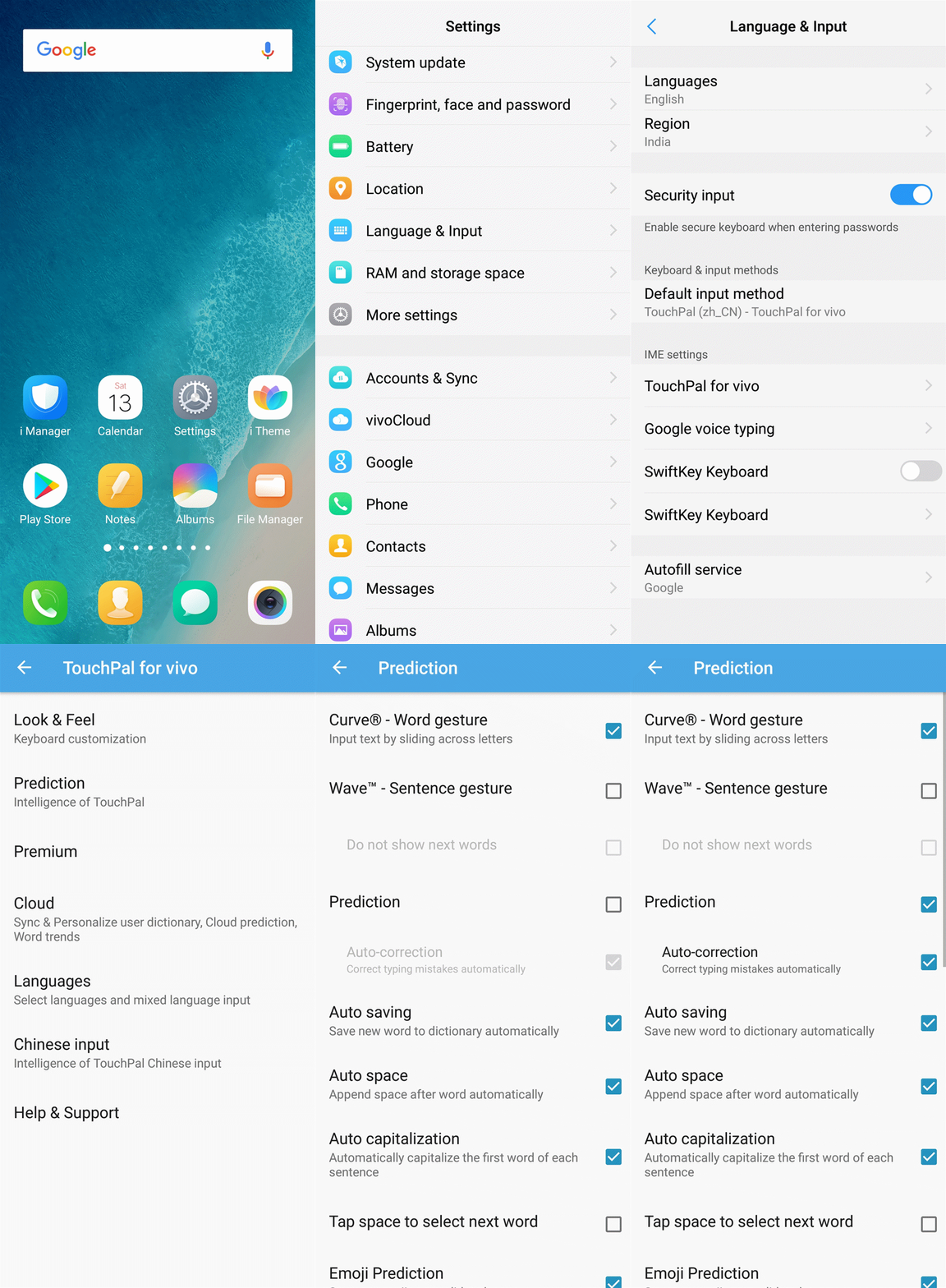
You can go to Settings>Language & Input>TouchPal for vivo>Prediction, turn on/off Prediction.
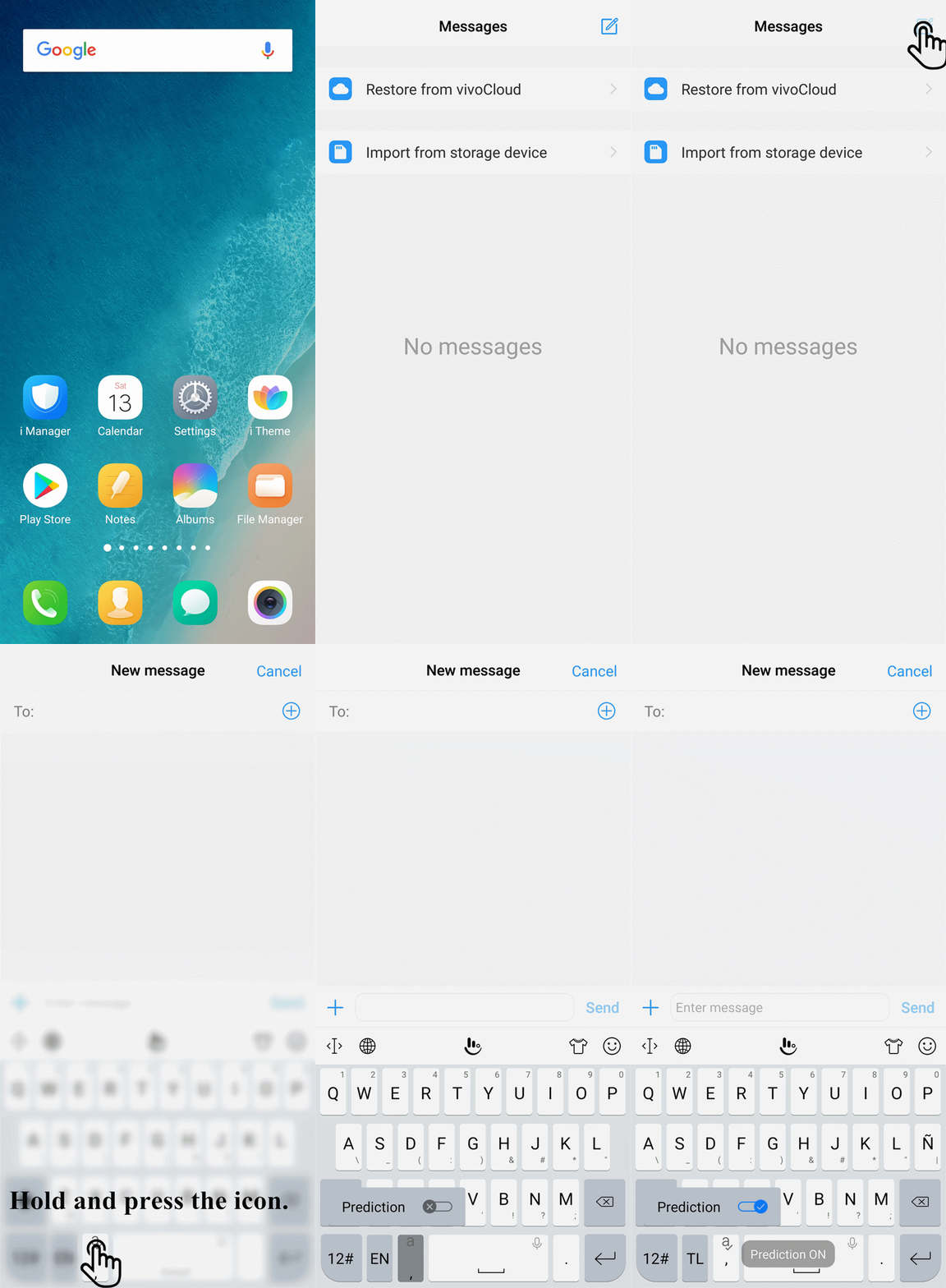
For Funtouch OS 3.0 and lower version, you can press and hold the button on the left of Space button
 on the interface of Input method until the little window pops out, then turn on/off Prediction. It also works on the higher version.
How to change the language of Input method?
1. Go to Settings>Language & Input>TouchPal for vivo/TouchPal 2015>Languages, select the languages;
2. Tap the icon (>Add Language…) on the interface of Input method to switch the language.
How to adjust the font size of Input method?
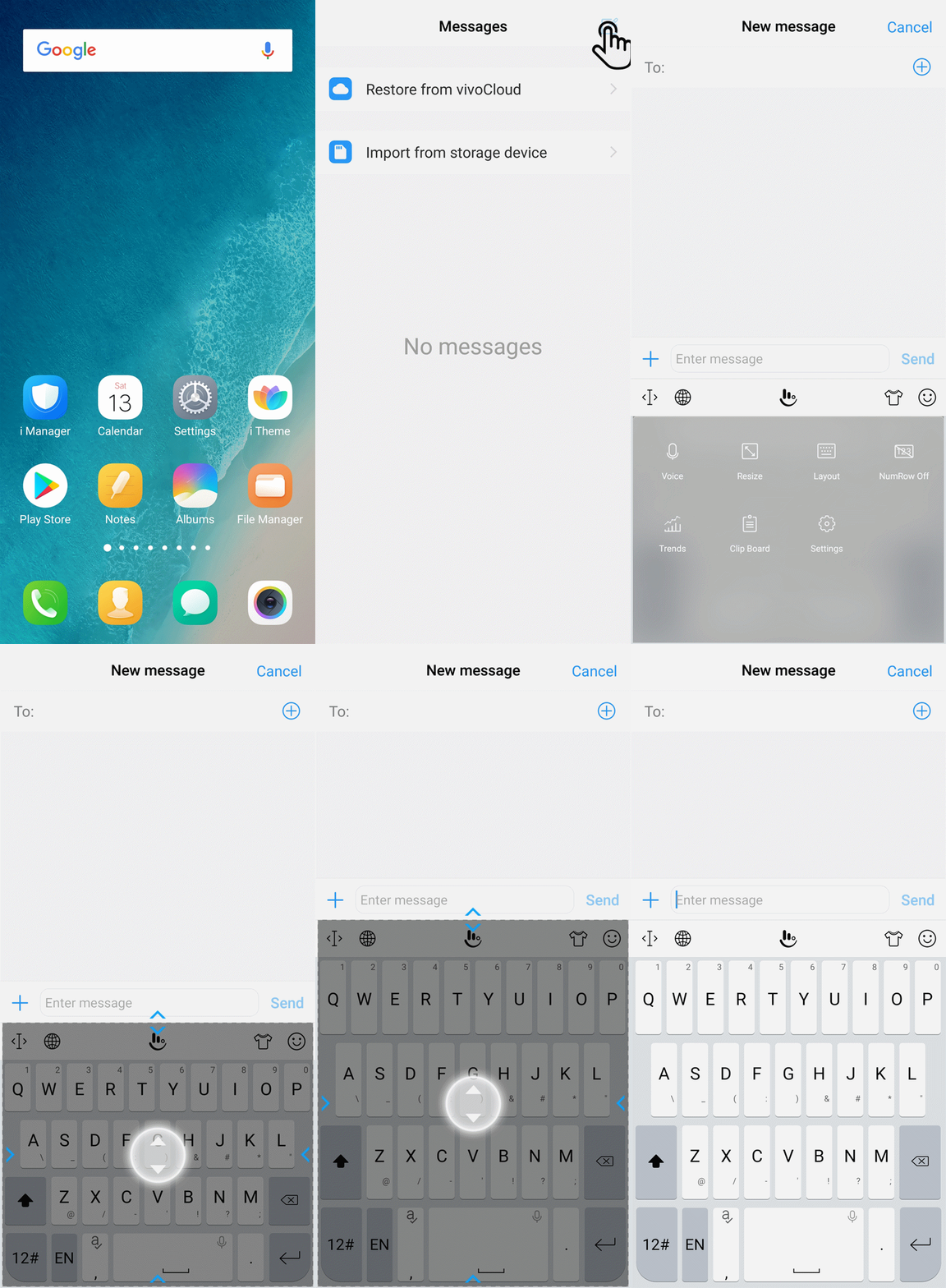
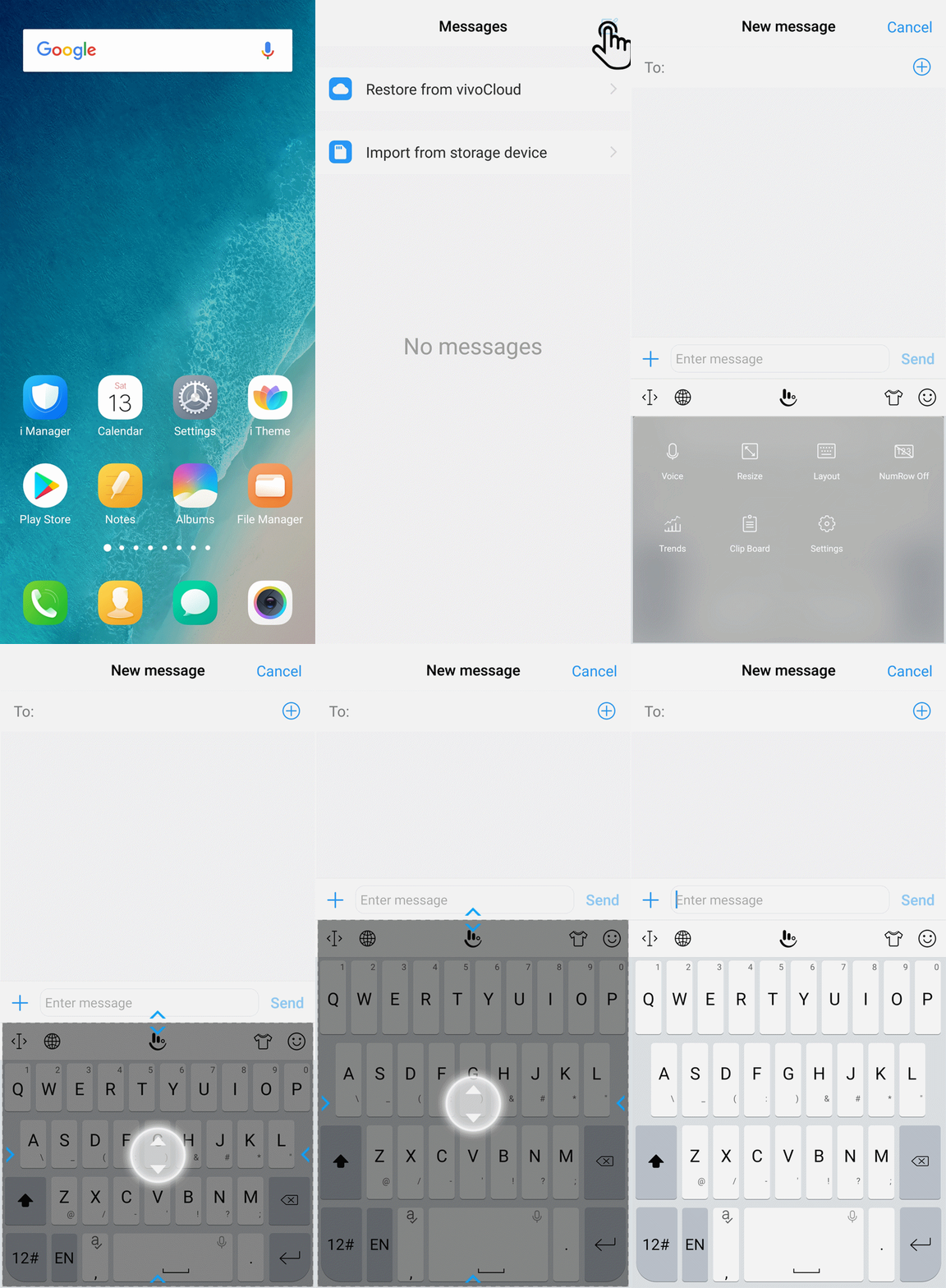
You can adjust the size of Input method to adjust the font of Input method. Click the icon at the middle-upper part, select Resize to adjust it.
Warmly Tips: The Vivo phone with Android 5.0 and lower version does not support this feature.
How to set the third-party Input method as the default one?
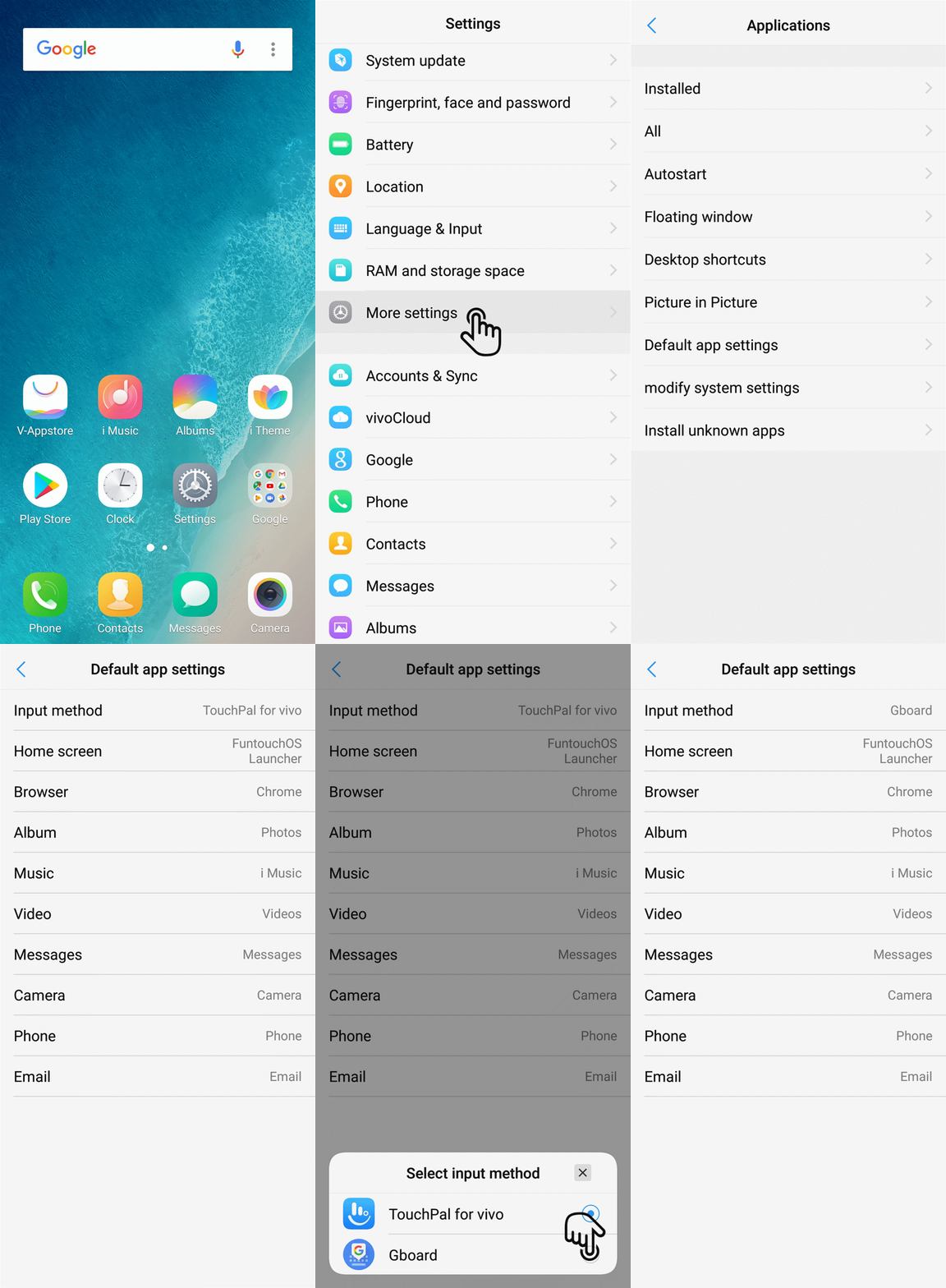
You can go to Settings>More settings>Permission management(Applications)>Default app settings>Input method>choose the input method you download to set the third-party Input method as the default one.
For Funtouch OS 2.6 and lower version, you can go to i Manager>App manager>Default app settings to set the third-party Input method app as the default one.
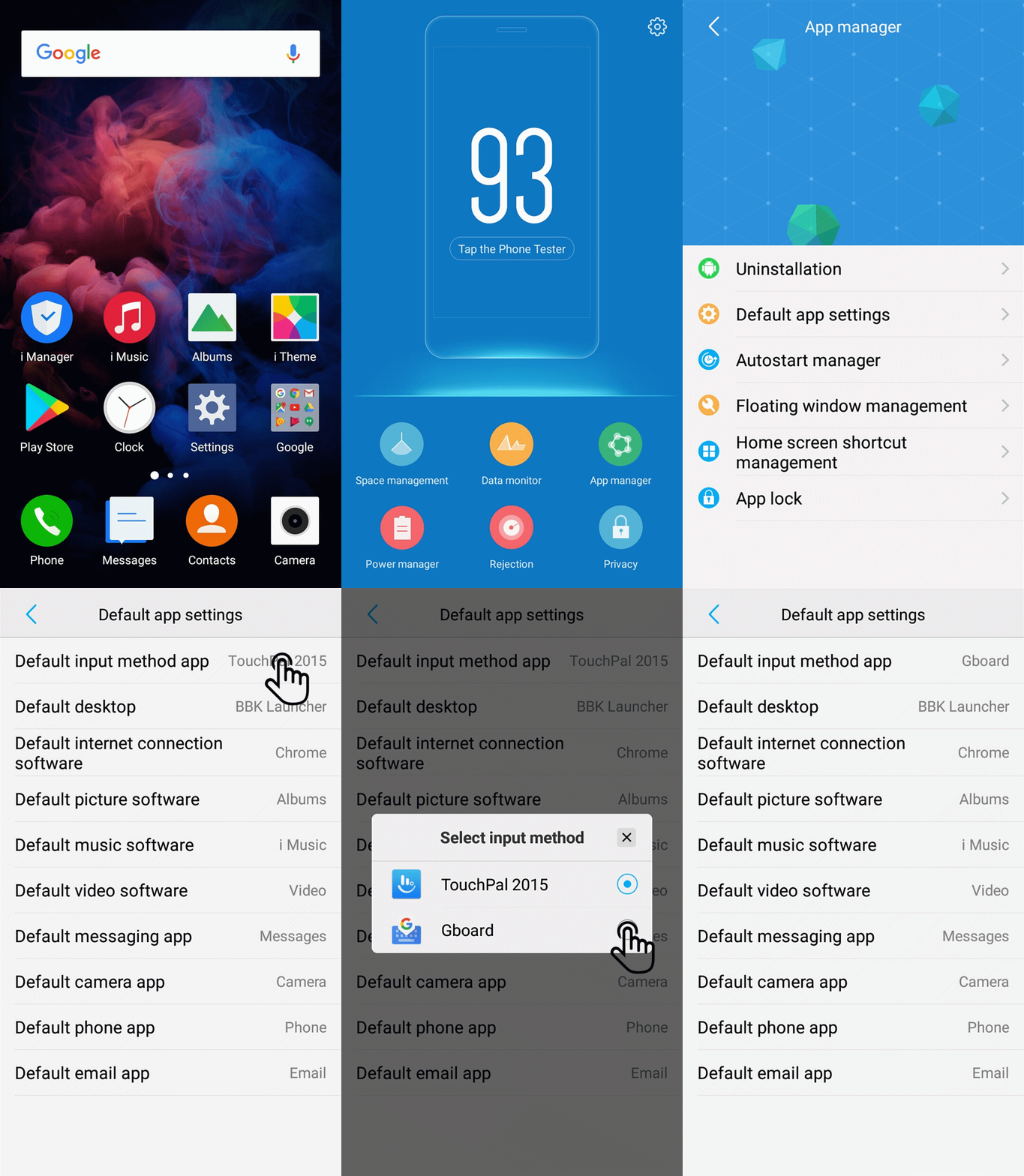
Warmly Tips: Under Smart split mode, the default Input method is the built-in one.
How to use Funmoji?
2. Touch the expression icon
 at the right corner, then tap on this icon
 ;
;
On the recording interface, make sure your face is in the view. Then you will see a red Recording button
 at the right bottom. Touch it to record your facial information to create a Funmoji expression.
How can I set the picture as the background of the Keyboard?
Bring up Input method>touch clothing icon >tap on the icon
 at the bottom>CUSTOMIZE A NEW THEME>Select Gallery>Albums>select the photo you want to set as the background of Keyboard. Then touch the icon
 at the upper right corner to finish it.
Why is the keyboard changed every time I enter the password?
It is the Security Keyboard. When entering the password, it will be called. You can turn it off in Settings>Language & Input.
Why can some emojis not be recognized by the phone?
For the emoji you download, it will be changed into the original version while using them. But don`t be upset, we will improve our users` experience continuously. Please pay attention to the system updates.
Can I delete the language packages of Input method?
Currently, these language packages cannot be deleted. But don`t worry, their size is very small and has no effect on the daily usage, you can be assured to use your phone.
A button on Input Method has two letters. How to get it back to normal?
Please don`t worry. Bring up the keyboard>touch the earth icon >select FULL to get it back to normal.
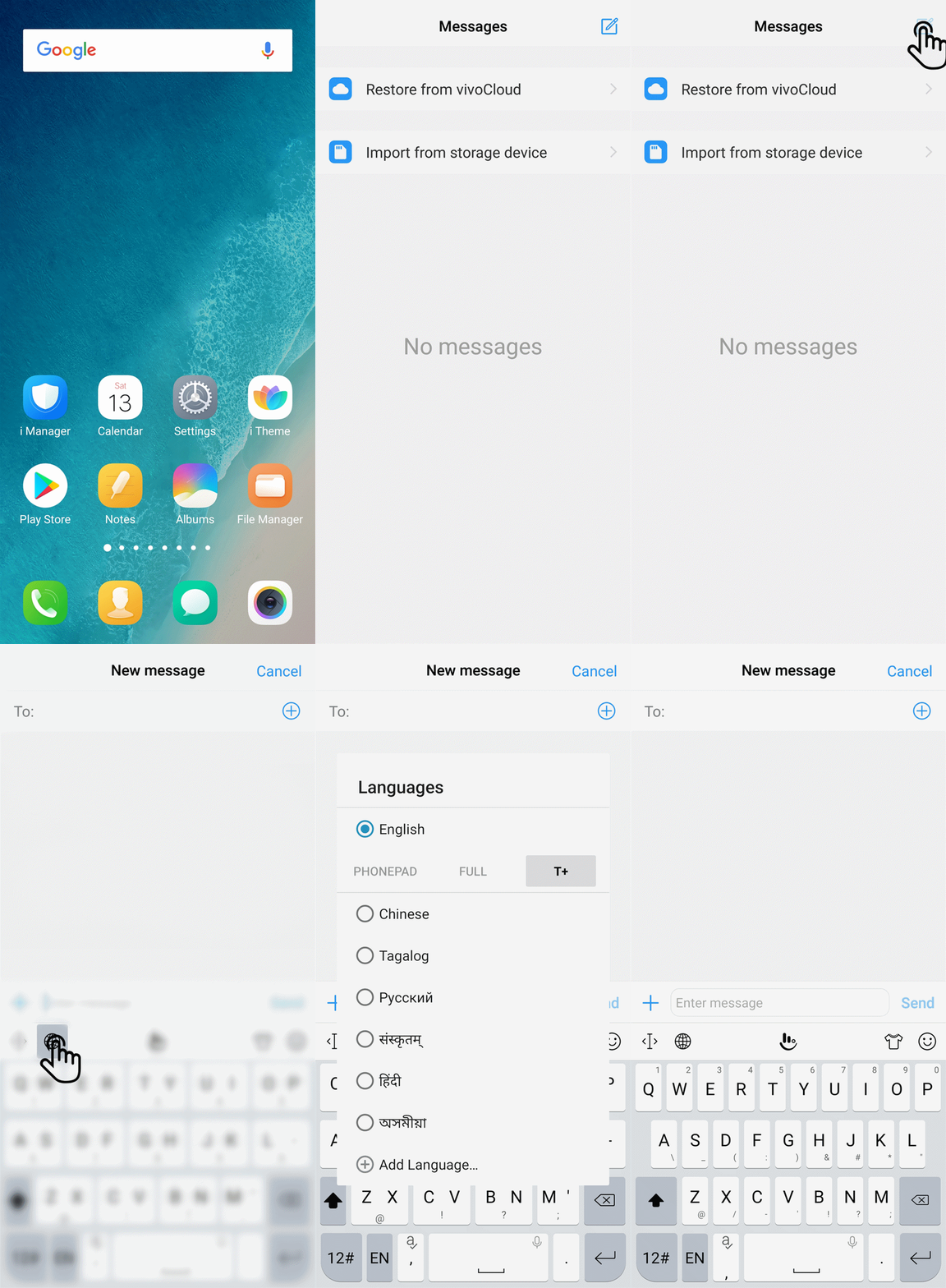
How to adjust the size of Input method?
Bring up the Input method>click the icon >Resize, then you can adjust the size of the Input method.
How to "Edit user words" in Input method?
Go to Settings>Language & Input>TouchPal for vivo/TouchPal 2015>Prediction(Smart Input)>Edit user words, then you can click “+” icon to add and edit user words.
How to change the Skin or Wallpaper of Input method?
Bring up the Input method>click the icon , then you can download and apply the skin or wallpaper
How to turn off/on Keypress sound or vibration when using Input method?
Keypress sound: Go to Settings>Language & Input>TouchPal for vivo/TouchPal 2015>Look&feel/General settings>Keypress sound to urn off System Volume, then you can slide the coloured dot to adjust the keypress sound volume or turn it off.
Keypress Vibration: Go to Settings>Language & Input>TouchPal for vivo/TouchPal 2015>Look&feel/General settings>Keypress vibration to turn off System default, then you can slide the coloured dot to adjust the keypress vibration time or turn it off.
Why does it show à when I enter FI?
This issue usually happens while using some third-party fonts. Please go to i Theme>Local>Local font, select the system font, then check again.